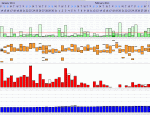
Sleepyhead Graphs Gone Wild

General Discussion on any topic relating to CPAP and/or Sleep Apnea.
User avatar
jedimark
Posts: 1300
Joined: Fri Feb 18, 2011 12:45 am
Location: Bundaberg, Australia
Contact:

Re: Sleepyhead Graphs Gone Wild

Post by jedimark » Thu Dec 08, 2011 4:36 pm

b360155 wrote:
jedimark wrote:I updated the 0.8.8 build yet again, which fixes this problem.. It was what I originally thought.. I should pay more attention to myself sometimes..

ResMed S9 users will have to import again.. It will automatically purge SleepyHeads S9 data for you this time, it won't touch your notes.
If the problems still appears, you will have to remove the SleepApp folder and start again. :-/

Quick link to just the binary to unzip over the top of the other one..
http://sourceforge.net/projects/sleepyh ... p/download

See the 0.8.8 thread for the full version with DLL's, and further details on the other fixes..
Great! Thanks!! I'll try it out tonight when I get home from work. By the way, what is the Zombie graph?
It's a badly named "How I Felt" graph.. There is a slider for it under notes, with a scale between Zombie and Awesome..

It needs improvement.. (probably a scale of 1-10 might help, 0-100 is a little complicated plot wise..)


_________________
Machine: ResMed AirSense™ 10 AutoSet™ CPAP Machine with HumidAir™ Heated Humidifier
Mask: Swift™ FX Nasal Pillow CPAP Mask with Headgear
Humidifier: S9™ Series H5i™ Heated Humidifier with Climate Control
Additional Comments: CMS50D+/F Oximeter, S9 VPAP Auto/Adapt, PRS1 Auto, Intellipap Auto, SleepyHead :)
Author of the free, cross platform, open-source sleep tracking software SleepyHead.
Download http://sleepyhead.jedimark.net
Source Code http://gitlab.com/sleepyhead/sleepyhead-code

User avatar
b360155
Posts: 163
Joined: Sat Oct 22, 2011 7:46 pm
Location: North Richland Hills, TX

Re: Sleepyhead Graphs Gone Wild

Post by b360155 » Thu Dec 08, 2011 6:59 pm

jedimark wrote:
b360155 wrote:
jedimark wrote:I updated the 0.8.8 build yet again, which fixes this problem.. It was what I originally thought.. I should pay more attention to myself sometimes..

ResMed S9 users will have to import again.. It will automatically purge SleepyHeads S9 data for you this time, it won't touch your notes.
If the problems still appears, you will have to remove the SleepApp folder and start again. :-/

Quick link to just the binary to unzip over the top of the other one..
http://sourceforge.net/projects/sleepyh ... p/download

See the 0.8.8 thread for the full version with DLL's, and further details on the other fixes..
Great! Thanks!! I'll try it out tonight when I get home from work. By the way, what is the Zombie graph?
It's a badly named "How I Felt" graph.. There is a slider for it under notes, with a scale between Zombie and Awesome..

It needs improvement.. (probably a scale of 1-10 might help, 0-100 is a little complicated plot wise..)
Thanks Mark! Graphs look great again. I see the slider now under Notes, but now I don't see the Zombie graph. Did you take it out?
Appreciate your responsiveness and quick resolution. Software keeps getting better and better!

_________________
Mask: Quattro™ FX Full Face CPAP Mask with Headgear
Humidifier: S9™ Series H5i™ Heated Humidifier with Climate Control
Additional Comments: Using ResScan Version 3.16 Software and Sleepyhead 0.9.2

SleepyToo2
Posts: 1005
Joined: Sun Sep 11, 2011 7:55 am
Location: North of Philadelphia, PA

Re: Sleepyhead Graphs Gone Wild

Post by SleepyToo2 » Thu Dec 08, 2011 7:18 pm

Thanks, Mark. I copied the binary file, and it looks good for now - I'll have to check again in the morning before giving it the thumbs up. For me the change to unreadable black text only occurred after loading new data ...

BTW, the slider is now a bit freaky - I focused on an obstructive apnea, widened the view, and then selected the portion where the breathing was not recorded. That told me that the apnea was 9 secs in duration, but the AHI for those 9 secs was 363!!! After I calmed down, I realized that that may not even qualify as an apnea for some techs interpreting it (doesn't breathing need to stop for 10 secs?). Not something to get upset about!

_________________
Mask: AirFit™ P10 Nasal Pillow CPAP Mask with Headgear
Additional Comments: Use SleepyHead software.
Not a medical professional - just a patient who has done a lot of reading

User avatar
jedimark
Posts: 1300
Joined: Fri Feb 18, 2011 12:45 am
Location: Bundaberg, Australia
Contact:

Re: Sleepyhead Graphs Gone Wild

Post by jedimark » Thu Dec 08, 2011 8:05 pm

b360155 wrote:Thanks Mark! Graphs look great again. I see the slider now under Notes, but now I don't see the Zombie graph. Did you take it out?
Appreciate your responsiveness and quick resolution. Software keeps getting better and better!
That's good to here the graphs are fixed..

The Zombie graph in overview should be there. It might not show if there's no data.. Also, it doesn't automatically update the overview page yet when you change them (I've still got to add the links in)
Try File -> Change User and log back to quickly reload to see if that's the reason.

Make sure the Zombie's checkbox is enabled in Preferences->Graph tab..

If it's still not showing up, there is a file you can safely delete in Documents/SleepApp/Profiles/yourname/overview.shg
Deleting this will reset your graph orders and custom min/max for the overview, but might bring zombie back next time you restart.

_________________
Machine: ResMed AirSense™ 10 AutoSet™ CPAP Machine with HumidAir™ Heated Humidifier
Mask: Swift™ FX Nasal Pillow CPAP Mask with Headgear
Humidifier: S9™ Series H5i™ Heated Humidifier with Climate Control
Additional Comments: CMS50D+/F Oximeter, S9 VPAP Auto/Adapt, PRS1 Auto, Intellipap Auto, SleepyHead :)
Author of the free, cross platform, open-source sleep tracking software SleepyHead.
Download http://sleepyhead.jedimark.net
Source Code http://gitlab.com/sleepyhead/sleepyhead-code

User avatar
jedimark
Posts: 1300
Joined: Fri Feb 18, 2011 12:45 am
Location: Bundaberg, Australia
Contact:

Re: Sleepyhead Graphs Gone Wild

Post by jedimark » Thu Dec 08, 2011 8:07 pm

SleepyToo2 wrote:Thanks, Mark. I copied the binary file, and it looks good for now - I'll have to check again in the morning before giving it the thumbs up. For me the change to unreadable black text only occurred after loading new data ...

BTW, the slider is now a bit freaky - I focused on an obstructive apnea, widened the view, and then selected the portion where the breathing was not recorded. That told me that the apnea was 9 secs in duration, but the AHI for those 9 secs was 363!!! After I calmed down, I realized that that may not even qualify as an apnea for some techs interpreting it (doesn't breathing need to stop for 10 secs?). Not something to get upset about!
I think now the AHI/hr graph is done, the "Selection AHI" can simply vanish for selections under 1 hour, and just show the event counts?

_________________
Machine: ResMed AirSense™ 10 AutoSet™ CPAP Machine with HumidAir™ Heated Humidifier
Mask: Swift™ FX Nasal Pillow CPAP Mask with Headgear
Humidifier: S9™ Series H5i™ Heated Humidifier with Climate Control
Additional Comments: CMS50D+/F Oximeter, S9 VPAP Auto/Adapt, PRS1 Auto, Intellipap Auto, SleepyHead :)
Author of the free, cross platform, open-source sleep tracking software SleepyHead.
Download http://sleepyhead.jedimark.net
Source Code http://gitlab.com/sleepyhead/sleepyhead-code

User avatar
avi123
Posts: 4509
Joined: Tue Dec 21, 2010 5:39 pm
Location: NC

Re: Sleepyhead Graphs Gone Wild

Post by avi123 » Thu Dec 08, 2011 8:11 pm

If the graphs were by ResScan (above 3.14) I could then relate to them.

_________________
Humidifier: S9™ Series H5i™ Heated Humidifier with Climate Control
Additional Comments:  S9 Autoset machine; Ruby chinstrap under the mask straps; ResScan 5.6
see my recent set-up and Statistics:
http://i.imgur.com/TewT8G9.png
see my recent ResScan treatment results:
http://i.imgur.com/3oia0EY.png
http://i.imgur.com/QEjvlVY.png

User avatar
jedimark
Posts: 1300
Joined: Fri Feb 18, 2011 12:45 am
Location: Bundaberg, Australia
Contact:

Re: Sleepyhead Graphs Gone Wild

Post by jedimark » Thu Dec 08, 2011 8:57 pm

avi123 wrote:If the graphs were by ResScan (above 3.14) I could then relate to them.
eh??

What about ResScan in particular are you missing from SH?

_________________
Machine: ResMed AirSense™ 10 AutoSet™ CPAP Machine with HumidAir™ Heated Humidifier
Mask: Swift™ FX Nasal Pillow CPAP Mask with Headgear
Humidifier: S9™ Series H5i™ Heated Humidifier with Climate Control
Additional Comments: CMS50D+/F Oximeter, S9 VPAP Auto/Adapt, PRS1 Auto, Intellipap Auto, SleepyHead :)
Author of the free, cross platform, open-source sleep tracking software SleepyHead.
Download http://sleepyhead.jedimark.net
Source Code http://gitlab.com/sleepyhead/sleepyhead-code

User avatar
Breathe Jimbo
Posts: 954
Joined: Sun Sep 12, 2010 3:02 pm
Location: Pasadena, CA

Re: Sleepyhead Graphs Gone Wild

Post by Breathe Jimbo » Thu Dec 08, 2011 10:44 pm

jedimark wrote:What about ResScan in particular are you missing from SH?
Nothing, except maybe the photo of a beautiful woman's right eye.

Maybe a sheep's right eye as a new logo for SH? I might be able to draw that.

_________________
Humidifier: S9™ Series H5i™ Heated Humidifier with Climate Control
Additional Comments: Since 9/9/10; 13 cm; ResScan 3.16; SleepyHead 0.9; PapCap

User avatar
jedimark
Posts: 1300
Joined: Fri Feb 18, 2011 12:45 am
Location: Bundaberg, Australia
Contact:

Re: Sleepyhead Graphs Gone Wild

Post by jedimark » Thu Dec 08, 2011 11:00 pm

Breathe Jimbo wrote:
jedimark wrote:What about ResScan in particular are you missing from SH?
Nothing, except maybe the photo of a beautiful woman's right eye.

Maybe a sheep's right eye as a new logo for SH? I might be able to draw that.
Lol.. I never meant for that sheep to be a permanent mascot..

I still want it to change to something cool..

_________________
Machine: ResMed AirSense™ 10 AutoSet™ CPAP Machine with HumidAir™ Heated Humidifier
Mask: Swift™ FX Nasal Pillow CPAP Mask with Headgear
Humidifier: S9™ Series H5i™ Heated Humidifier with Climate Control
Additional Comments: CMS50D+/F Oximeter, S9 VPAP Auto/Adapt, PRS1 Auto, Intellipap Auto, SleepyHead :)
Author of the free, cross platform, open-source sleep tracking software SleepyHead.
Download http://sleepyhead.jedimark.net
Source Code http://gitlab.com/sleepyhead/sleepyhead-code

User avatar
Lizistired
Posts: 2835
Joined: Tue Dec 14, 2010 10:47 pm
Location: Indiana

Re: Sleepyhead Graphs Gone Wild

Post by Lizistired » Thu Dec 08, 2011 11:22 pm

jedimark wrote:
avi123 wrote:If the graphs were by ResScan (above 3.14) I could then relate to them.
eh??

What about ResScan in particular are you missing from SH?
I don't know what he was talking about. But Resscan does what we need it to do and if you had an S9 you would never have needed to do this. .
The ICON might me interesting for you to look at.... if you can't sleep .
I haven't seen what their data looks like yet but we have had several new members with them recently. Just a thought.

_________________
Humidifier: S9™ Series H5i™ Heated Humidifier with Climate Control
Additional Comments: Swift FX sometimes, CMS-50F, Cervical collar sometimes, White noise, Zeo... I'm not well, but I'm better.

ozij
Posts: 10536
Joined: Fri Mar 18, 2005 11:52 pm

Re: Sleepyhead Graphs Gone Wild

Post by ozij » Thu Dec 08, 2011 11:39 pm

This fixed the screen garbling and black boxes - and I love the sheep logo. It's perfect for this type of software.

_________________
Mask: AirFit™ P10 Nasal Pillow CPAP Mask with Headgear
Additional Comments: Machine: Resmed AirSense10 for Her with Climateline heated hose ; alternating masks.
And now here is my secret, a very simple secret; it is only with the heart that one can see rightly, what is essential is invisible to the eye.
Antoine de Saint-Exupery

Good advice is compromised by missing data
Forum member Dog Slobber Nov. 2023

User avatar
jedimark
Posts: 1300
Joined: Fri Feb 18, 2011 12:45 am
Location: Bundaberg, Australia
Contact:

Re: Sleepyhead Graphs Gone Wild

Post by jedimark » Fri Dec 09, 2011 12:29 am

Lizistired wrote:
jedimark wrote:
avi123 wrote:If the graphs were by ResScan (above 3.14) I could then relate to them.
eh??

What about ResScan in particular are you missing from SH?
I don't know what he was talking about. But Resscan does what we need it to do and if you had an S9 you would never have needed to do this. .
The ICON might me interesting for you to look at.... if you can't sleep .
I haven't seen what their data looks like yet but we have had several new members with them recently. Just a thought.
You are quite right.. Probably a good thing I bought the PRS1

ResScan is much better software than Encore, but it still doesn't work on Mac or Linux, without a lot of voodoo, so I guess there's one case for it there..

The F&P Icon would be awesome to add, but I have not seen data for one yet..

_________________
Machine: ResMed AirSense™ 10 AutoSet™ CPAP Machine with HumidAir™ Heated Humidifier
Mask: Swift™ FX Nasal Pillow CPAP Mask with Headgear
Humidifier: S9™ Series H5i™ Heated Humidifier with Climate Control
Additional Comments: CMS50D+/F Oximeter, S9 VPAP Auto/Adapt, PRS1 Auto, Intellipap Auto, SleepyHead :)
Author of the free, cross platform, open-source sleep tracking software SleepyHead.
Download http://sleepyhead.jedimark.net
Source Code http://gitlab.com/sleepyhead/sleepyhead-code

User avatar
Breathe Jimbo
Posts: 954
Joined: Sun Sep 12, 2010 3:02 pm
Location: Pasadena, CA

Re: Sleepyhead Graphs Gone Wild

Post by Breathe Jimbo » Fri Dec 09, 2011 1:41 am

Here's a mockup of the proposed new sheep eye logo beside the ResScan women's eye for comparison.

Image

_________________
Humidifier: S9™ Series H5i™ Heated Humidifier with Climate Control
Additional Comments: Since 9/9/10; 13 cm; ResScan 3.16; SleepyHead 0.9; PapCap

User avatar
b360155
Posts: 163
Joined: Sat Oct 22, 2011 7:46 pm
Location: North Richland Hills, TX

Re: Sleepyhead Graphs Gone Wild

Post by b360155 » Fri Dec 09, 2011 8:49 am

That's good to here the graphs are fixed..

The Zombie graph in overview should be there. It might not show if there's no data.. Also, it doesn't automatically update the overview page yet when you change them (I've still got to add the links in)
The Zombie graph showed up this morning with one entry for the night before last, so there must not have been data previously since I reloaded my data from scratch yesterday. However, then my entry for today (for last night) doesn't show up on the graph. When does it update?
This fixed the screen garbling and black boxes - and I love the sheep logo. It's perfect for this type of software.
I'm with ozij...keep the original sheep! Maybe we should conduct a membership poll???
eh??

What about ResScan in particular are you missing from SH?
Would it be possible on the Daily graphs to have actual measures show up as you mouse over the various parts of the graphs? You've got this capability on the Overview graphs but not on the Daily. That's something that ResScan software has that would be nice to see in Sleepyhead too.

Keep up the great work!

_________________
Mask: Quattro™ FX Full Face CPAP Mask with Headgear
Humidifier: S9™ Series H5i™ Heated Humidifier with Climate Control
Additional Comments: Using ResScan Version 3.16 Software and Sleepyhead 0.9.2

User avatar
archangle
Posts: 9293
Joined: Sun Mar 27, 2011 11:55 am

Re: Sleepyhead Graphs Gone Wild

Post by archangle » Sat Dec 10, 2011 1:17 am

[quote="Breathe Jimbo"]Here's a mockup of the proposed new sheep eye logo beside the ResScan women's eye for comparison.

Geez, that will fix my apnea because it will keep me awake at night. Maybe we need a zombie sheep log.

I like the current logo, but I guess there might be IP problems.

I used to be a moderator on another board where we had a lot of psycho nutjob pests. I was talking to someone yesterday and was telling them that the psychos usually chose certain avatars when they signed up for an ID. The psychos tended to like the avatars that were zoomed in onto just one eye and a few other aggressive avatars.

_________________
Mask: Swift™ FX Nasal Pillow CPAP Mask with Headgear
Humidifier: S9™ Series H5i™ Heated Humidifier with Climate Control
Additional Comments: Also SleepyHead, PRS1 Auto, Respironics Auto M series, Legacy Auto, and Legacy Plus
Please enter your equipment in your profile so we can help you.
Click here for information on the most common alternative to CPAP.
If it's midnight and a DME tells you it's dark outside, go and check for yourself.

Useful Links.