




I just got a new computer. Can you tell? The words in this post seem crisper, fresher, more piquant, all the more because of it.
Anyway, I just installed ResScan 3.12. It works fine. However, when I transferred my data from the patients folder on the old computer to the new patients folder on the new computer the data does not show up on ResScan. Originally, I thought it would be a case of drag and drop. Now I see this may not be the case. I'd rather not swap out the SD card sixty-some-odd times to get the old data in to the new system.
Is there a brighter solution out there?
Win 7 64bit - ResScan - XPMode?
-
DreamDiver

- Posts: 3082
- Joined: Thu Oct 04, 2007 11:19 am
Win 7 64bit - ResScan - XPMode?
_________________
| Mask: ResMed AirFit™ F20 Mask with Headgear + 2 Replacement Cushions |
| Additional Comments: Pressure: APAP 10.4 | 11.8 | Also Quattro FX FF, Simplus FF |
Last edited by DreamDiver on Fri Mar 25, 2011 8:50 am, edited 1 time in total.

Most members of this forum are wonderful.
However, if you are the target of bullying on this forum, please consider these excellent alternative forums:
Apnea Board
Sleep Apnea Talk Forum
Free CPAP Advice
Be well,
Chris
-
Lizistired
- Posts: 2835
- Joined: Tue Dec 14, 2010 10:47 pm
- Location: Indiana
Re: New 'puter - Win 7 64bit - No probs installing ResScan
I'm sure there is.. or at least hoping Dream Diver. I need to do the same thing. I bought a new laptop and rarely use it because the old one still has everything on it. I'll be watching this thread for someone who has already done it.
_________________
| Humidifier: S9™ Series H5i™ Heated Humidifier with Climate Control |
| Additional Comments: Swift FX sometimes, CMS-50F, Cervical collar sometimes, White noise, Zeo... I'm not well, but I'm better. |
ResScan: http://www.resmed.com/int/assets/html/s ... c=patients
ResScan Tutorial- http://montfordhouse.com/cpap/resscan_tutorial/
Machines Video: http://www.cpaplibrary.com/machine-education
ResScan Tutorial- http://montfordhouse.com/cpap/resscan_tutorial/
Machines Video: http://www.cpaplibrary.com/machine-education
-
Lizistired
- Posts: 2835
- Joined: Tue Dec 14, 2010 10:47 pm
- Location: Indiana
Re: New 'puter - Win 7 64bit - No probs installing ResScan
Have you already tried the import function. I hadn't looked at it yet. Not sure what "Autoscan and 1.1 files are.
Importing Data Files
You can import existing AutoScan and ResScan 1.1 data files.
From the File menu, choose Import. The Import Patients dialog is displayed.
Figure 6: Import dialog (use your imagination )
In the Import From field, choose the source of the files and select the files required.
In the Import To field, choose the destination of the files from the Patient groups ("Patient File Manager") displayed.
If you tick the Do not prompt on overwrite box, imported files will overwrite files of the same name that already exist in ResScan.
Importing Data Files
You can import existing AutoScan and ResScan 1.1 data files.
From the File menu, choose Import. The Import Patients dialog is displayed.
Figure 6: Import dialog (use your imagination )
In the Import From field, choose the source of the files and select the files required.
In the Import To field, choose the destination of the files from the Patient groups ("Patient File Manager") displayed.
If you tick the Do not prompt on overwrite box, imported files will overwrite files of the same name that already exist in ResScan.
_________________
| Humidifier: S9™ Series H5i™ Heated Humidifier with Climate Control |
| Additional Comments: Swift FX sometimes, CMS-50F, Cervical collar sometimes, White noise, Zeo... I'm not well, but I'm better. |
ResScan: http://www.resmed.com/int/assets/html/s ... c=patients
ResScan Tutorial- http://montfordhouse.com/cpap/resscan_tutorial/
Machines Video: http://www.cpaplibrary.com/machine-education
ResScan Tutorial- http://montfordhouse.com/cpap/resscan_tutorial/
Machines Video: http://www.cpaplibrary.com/machine-education
Re: New 'puter - Win 7 64bit - No probs installing ResScan
I just installed ResScan on a Win 7 64bit machine and all my data appears where and as it should after I copy my patient folder from my old machine to the new one. Where, exactly did copy the data to? On my machine, I have it in "C:\Users\Public\Documents\ResMed\ResScan3\Patients\MyData\".
Make sure that the Public folder is, in fact, not shared. What was Resmed thinking putting the data there?
Make sure that the Public folder is, in fact, not shared. What was Resmed thinking putting the data there?
_________________
| Machine | Mask | |
 |  |
-
billbolton

- Posts: 2264
- Joined: Wed Jun 07, 2006 7:46 pm
- Location: Sydney, Australia
Re: New 'puter - Win 7 64bit - No probs installing ResScan
DId you copy your whole patient folder to the new system, or did you copy the files within the old folder into the patient folder on the new system?DreamDiver wrote:when I transferred my data from the patients folder on the old computer to the new patients folder on the new computer
If you did the later...... try doing the former instead.
Cheers,
Bill
_________________
| Machine | Mask | |||
|  | |||
| Additional Comments: Airmini, Medistrom Pilot 24, CMS 60C Pulse Oximeter, ResScan 6 | ||||

Re: New 'puter - Win 7 64bit - No probs installing ResScan
I am not very computer savy but I recently changed from a dying XP laptop to a win 7 64 bit desktop. I used Windows Easy Transfer utility and it transferred everything with no problems. I had not yet installed ResScan (waited for the new computer to do that) but I assume it would have transferred all those files smoothly too.
_________________
| Mask: Quattro™ FX Full Face CPAP Mask with Headgear |
| Humidifier: S9™ Series H5i™ Heated Humidifier with Climate Control |
-
DreamDiver
- Posts: 3082
- Joined: Thu Oct 04, 2007 11:19 am
Re: New 'puter - Win 7 64bit - No probs installing ResScan
Everyone, thank you for your replies! I've figured it out.
@Lizistired,
The export import function unfortunately only gives the bare minimum data. No medium or high-res data is transferred with this method.
@TooGroggy,
You explanation is what did the trick. On WinXP, the folder was found at C:\Program Files\ResMed\ResScan3\Patients, so I just copied my patients files to C:\Program Files (x86)\ResMed\ResScan3\Patients by mistake. I moved them to where you suggested with better results.
@BillBolton,
Actually, single patient folders transfer okay.
@bayourest,
I'm too stingy to buy the easy solution, eh?
Again everyone, thanks!
@Lizistired,
The export import function unfortunately only gives the bare minimum data. No medium or high-res data is transferred with this method.
@TooGroggy,
You explanation is what did the trick. On WinXP, the folder was found at C:\Program Files\ResMed\ResScan3\Patients, so I just copied my patients files to C:\Program Files (x86)\ResMed\ResScan3\Patients by mistake. I moved them to where you suggested with better results.
@BillBolton,
Actually, single patient folders transfer okay.
@bayourest,
I'm too stingy to buy the easy solution, eh?
Again everyone, thanks!
_________________
| Mask: ResMed AirFit™ F20 Mask with Headgear + 2 Replacement Cushions |
| Additional Comments: Pressure: APAP 10.4 | 11.8 | Also Quattro FX FF, Simplus FF |
-
DreamDiver
- Posts: 3082
- Joined: Thu Oct 04, 2007 11:19 am
Win 7 64bit - ResScan refresh problems - XPMode?
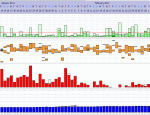
Except... Now I'm noticing that ResScan does not refresh windows very well on 64-bit even with the excellent graphics card installed. This is not a good sign.
I'm curious if anyone has attempted to install it in XPMode and whether this cures the window refresh problems.
I'm curious if anyone has attempted to install it in XPMode and whether this cures the window refresh problems.
_________________
| Mask: ResMed AirFit™ F20 Mask with Headgear + 2 Replacement Cushions |
| Additional Comments: Pressure: APAP 10.4 | 11.8 | Also Quattro FX FF, Simplus FF |
Re: Win 7 64bit - ResScan - XPMode?
windows easy transfer is included in windows 7 and I believe it's in vista too. You already bought it!!
I have had no probs with windows 7 and ResScan...seems fine to me, although I admit to being a limited ResScan user to date (but hoping for improvement on that)
I have had no probs with windows 7 and ResScan...seems fine to me, although I admit to being a limited ResScan user to date (but hoping for improvement on that)
_________________
| Mask: Quattro™ FX Full Face CPAP Mask with Headgear |
| Humidifier: S9™ Series H5i™ Heated Humidifier with Climate Control |
-
DreamDiver
- Posts: 3082
- Joined: Thu Oct 04, 2007 11:19 am
Re: Win 7 64bit - ResScan - XPMode?
No worries! The biggest problem was the 64-bit thing. There are weird things happen to the window and graph rendering in Win7 64-bit. It looks about like what happens when you don't have a very good graphics card.bayourest wrote:windows easy transfer is included in windows 7 and I believe it's in vista too. You already bought it!!
I have had no probs with windows 7 and ResScan...seems fine to me, although I admit to being a limited ResScan user to date (but hoping for improvement on that)
So here's the update...
I installed XPMode and made a virtual WinXP install with ResScan and it works quickly and flawlessly. Sweet!
Granted, I still have to open a virtual machine (VM) to get to it, but it's faster than my old machine was on any day of the week, so I'm happy. I'll probably end up using this VM not only for updating ResScan, but also to preview websites I'm working on with the very ancient IE6. Double Sweet!
Here's an example of what I was seeing:

_________________
| Mask: ResMed AirFit™ F20 Mask with Headgear + 2 Replacement Cushions |
| Additional Comments: Pressure: APAP 10.4 | 11.8 | Also Quattro FX FF, Simplus FF |

Re: Win 7 64bit - ResScan - XPMode?
.
_________________
| Mask: Swift™ FX Nasal Pillow CPAP Mask with Headgear |
| Humidifier: S9™ Series H5i™ Heated Humidifier with Climate Control |
| Additional Comments: Gear: PapCap |
Last edited by Bodhi on Tue Apr 26, 2011 11:11 am, edited 1 time in total.
"All that is very well," answered Candide; "but let us cultivate our garden."
Voltaire, Candide, last line.
Voltaire, Candide, last line.
-
DreamDiver
- Posts: 3082
- Joined: Thu Oct 04, 2007 11:19 am
Re: Win 7 64bit - ResScan - XPMode?
Actually, you could run a VMWare Player install of WinXP that should be just as useful. VMWare Player is not restricted to Home or Pro, and it's free. There is some investment is personal time to install the XP virtual machine. You're probably right just to keep around an old machine if you don't want to mess with it. Time is valuable too.Bodhi wrote:ResScan 3.13 (and earlier versions) will not install on my HP Netbook running Windows 7 32-bit (Home Edition).
According to Microsoft's website, the WinXP VM cannot run on the Home Edition version of Win 7. Home Edition requires an upgrade to Professional Edition.
So, let's see, I need to UPgrade to Pro, to DOWNgrade to XP to run ResScan. Sheesh! Guess I'll continue using my 8-year old Acer XP laptop for ResScan. Slow, but . . . (This is why I love my Mac).
_________________
| Mask: ResMed AirFit™ F20 Mask with Headgear + 2 Replacement Cushions |
| Additional Comments: Pressure: APAP 10.4 | 11.8 | Also Quattro FX FF, Simplus FF |
Re: Win 7 64bit - ResScan - XPMode?
.
_________________
| Mask: Swift™ FX Nasal Pillow CPAP Mask with Headgear |
| Humidifier: S9™ Series H5i™ Heated Humidifier with Climate Control |
| Additional Comments: Gear: PapCap |
Last edited by Bodhi on Tue Apr 26, 2011 11:10 am, edited 1 time in total.
"All that is very well," answered Candide; "but let us cultivate our garden."
Voltaire, Candide, last line.
Voltaire, Candide, last line.
-
billbolton
- Posts: 2264
- Joined: Wed Jun 07, 2006 7:46 pm
- Location: Sydney, Australia
Re: Win 7 64bit - ResScan refresh problems - XPMode?
Can you explain more fully what you doing in terms of refreshing a window, and what you are are observing (the screen capture wasn't very useful for that)?DreamDiver wrote:Except... Now I'm noticing that ResScan does not refresh windows very well on 64-bit....
I've been running ResScan natively on Vista x64 and then Windows 7 x64 for a long time now, and haven't had any display issues at all with it.
Cheers,
Bill
_________________
| Machine | Mask | |||
| | |||
| Additional Comments: Airmini, Medistrom Pilot 24, CMS 60C Pulse Oximeter, ResScan 6 | ||||
Re: Win 7 64bit - ResScan - XPMode?
.
_________________
| Mask: Swift™ FX Nasal Pillow CPAP Mask with Headgear |
| Humidifier: S9™ Series H5i™ Heated Humidifier with Climate Control |
| Additional Comments: Gear: PapCap |
Last edited by Bodhi on Tue Apr 26, 2011 11:10 am, edited 1 time in total.
"All that is very well," answered Candide; "but let us cultivate our garden."
Voltaire, Candide, last line.
Voltaire, Candide, last line.