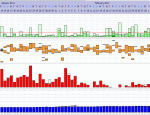
SD Card Video Tutorial

General Discussion on any topic relating to CPAP and/or Sleep Apnea.
User avatar
Tip10
Posts: 224
Joined: Thu Jan 27, 2011 7:51 am
Location: Southern Illinois

Re: SD Card Video Tutorial

Post by Tip10 » Wed Mar 02, 2011 9:16 am

BernieRay wrote:
avoiding the additional wear on the SD that true formatting causes
Bernie,

I find the above comment interesting and wonder at how you came by it.

SD cards are solid state flash memory -- there are no moving parts to wear.
Flash memory does indeed wear out -- it has physical contacts that will wear but that's not the result of any formatting activity, but more from the physical insertion and removal of the card.
Being solid state -- it electrically writes and rewrites memory locations.
This read/write activity will indeed eventually wear out the card but the lifetime is measured in the millions of read/write cycles.
A quick format on a card is no more than the rewriting of the file allocation tables on the card -- in essence a rewrite sequence electrically no different than any other data rewrite sequence. Basically deleting the files and re-writing them should produce no more or less wear on the card than formatting the card and then writing the files on it -- both will produce a couple of re-writes of the file allocation tables.


Now, basically the methods put forth by you and DreamDiver are essentially the same with only a couple of minor differences.

Both amount to:
1 Backing up the data
2 Removing all existing files and folders from the card, you by deleting, him by quick formatting, which both result in a rewrite of the file allocation tables which will basically eliminate fragmentation.
3 Returning the card to the S9 machine and allowing it's OS to write to the card the specifics it needs.

Where you differ is that you advocate restoring the DATALOG folder to maintain all of the data -- which could easily be done under his methodology as well.


_________________
Machine: ResMed AirSense™ 10 AutoSet™ CPAP Machine with HumidAir™ Heated Humidifier
Mask: SleepWeaver Advance Nasal CPAP Mask with Improved Zzzephyr Seal
Additional Comments: Also use a SleepWeaver Elan nasal mask interchangeably with the SleepWeaver
I don't suffer from Insanity -- I rather enjoy it!!

BernieRay
Posts: 390
Joined: Tue Nov 30, 2010 8:21 am

Re: SD Card Video Tutorial

Post by BernieRay » Wed Mar 02, 2011 11:57 am

A true format, not a quick format, does put un-necessary wear on the card because formatting is not needed to resolve the data skew issue. Heck, even a quick format causes un-necessary wear if the format isn't needed to begin with. Over time, if this is frequently repeated, the card will fail.

My question to you is why would you take an approach that causes any un-needed wear when there is an alternative? That simply doesn't make any sense to me.
Ray
Diagnosed in 1997

User avatar
Tip10
Posts: 224
Joined: Thu Jan 27, 2011 7:51 am
Location: Southern Illinois

Re: SD Card Video Tutorial

Post by Tip10 » Wed Mar 02, 2011 12:59 pm

BernieRay wrote:A true format, not a quick format, does put un-necessary wear on the card because formatting is not needed to resolve the data skew issue. Heck, even a quick format causes un-necessary wear if the format isn't needed to begin with. Over time, if this is frequently repeated, the card will fail.

My question to you is why would you take an approach that causes any un-needed wear when there is an alternative? That simply doesn't make any sense to me.
That's the part where you are losing me. What un-needed wear? -- and how is it wearing?

Let's set aside the full format for now because there may be some slight shred there.

Let's look at exactly what happens with a quick format and compare it to simply deleting the files off of the card.

A quick format simply clears all of the entries from the file allocation tables on the card and marks all of the previously used memory locations as available. It does NOT remove any of the data from the card -- it ONLY affects the file allocation tables.

Deleting the files off of the card simply clears all of the file specific entries from the file allocation tables on the card and marks all of the previously used memory locations as available. It does NOT remove any data from the card -- it ONLY affects the file allocation tables.

So how is doing a quick format causing any un-needed wear on the card? Your statements simply make no sense. This is solid state memory -- it is not a disk drive. In fact, doing it via file deletion actually results in several read/write cycles (one for each file deletion) to the file allocation tables instead of the one needed for a quick format.

Now, as to a full format, the barest shred of truth is there in that a full format writes, reads and verifies each and every memory location on the card -- so from that perspective you actually are causing a read/write cycle that is in addition to what is actually "necessary". So each time you do it you are using up one of those millions of read/write cycles that make up the life of the product. By the same token, however, you are verifying the validity of each and every memory location so as not to get bit by failed locations possibly corrupting data so there is a trade off.

I'm not questioning whether a quick format is necessary to solve the data skew issues -- I'm questioning the statement that doing so causes un-needed wear.

_________________
Machine: ResMed AirSense™ 10 AutoSet™ CPAP Machine with HumidAir™ Heated Humidifier
Mask: SleepWeaver Advance Nasal CPAP Mask with Improved Zzzephyr Seal
Additional Comments: Also use a SleepWeaver Elan nasal mask interchangeably with the SleepWeaver
I don't suffer from Insanity -- I rather enjoy it!!

User avatar
Tip10
Posts: 224
Joined: Thu Jan 27, 2011 7:51 am
Location: Southern Illinois

Re: SD Card Video Tutorial

Post by Tip10 » Wed Mar 02, 2011 2:03 pm

Okay, whatever. You seem to be the only one who brought up a complete format.

DreamDiver's method uses a quick format (which is what the software he recommends uses and which he clearly points out in his video) which you seem to want to claim would put more "wear" on the card than your method of just deleting the files.

The opposite is actually true -- deleting the files will result is several read/write cycles to the file allocation tables (one for each file deletion) instead of the single read/write cycle that would be required using DreamDiver's quick format approach.

By the way its really not something to be concerned with -- if you perform 100 read/write cycles to the card a day it'll only last in excess of 27 years. You'll wear it out much faster by physically removing it and re-inserting it than by any amount of read/write cycles.

So I'll ask again -- exactly how does your solution result in less wear to the card?

_________________
Machine: ResMed AirSense™ 10 AutoSet™ CPAP Machine with HumidAir™ Heated Humidifier
Mask: SleepWeaver Advance Nasal CPAP Mask with Improved Zzzephyr Seal
Additional Comments: Also use a SleepWeaver Elan nasal mask interchangeably with the SleepWeaver
I don't suffer from Insanity -- I rather enjoy it!!

BernieRay
Posts: 390
Joined: Tue Nov 30, 2010 8:21 am

Re: SD Card Video Tutorial

Post by BernieRay » Wed Mar 02, 2011 2:05 pm

Tip10 wrote: That's the part where you are losing me. What un-needed wear? -- and how is it wearing?
You've answered your own question - twice:
Tip10 wrote:...
This read/write activity will indeed eventually wear out the card but the lifetime is measured in the millions of read/write cycles.
...
Tip10 wrote:...
Let's set aside the full format for now because there may be some slight shred there.
I also suggest googling "wear leveling" - or just look at http://en.wikipedia.org/wiki/Wear_leveling.

I know of no commercially available SD card whose memory is capable of millions of cycles. It's more like 10,000, which is easily reachable. I also know of no SD card that implements wear leveling. Some USB flash drives, such as those from Ironkey, do perform wear leveling.

But, I tell you what. You use your card however you see fit, I will do the same, and everyone else can decide what they want to do as well.
Ray
Diagnosed in 1997

User avatar
DreamDiver
Posts: 3082
Joined: Thu Oct 04, 2007 11:19 am

Re: SD Card Video Tutorial

Post by DreamDiver » Wed Mar 02, 2011 9:27 pm

Tip10 wrote:By the way its really not something to be concerned with -- if you perform 100 read/write cycles to the card a day it'll only last in excess of 27 years. You'll wear it out much faster by physically removing it and re-inserting it than by any amount of read/write cycles.
Wow - I totally lost track of this thread...

Not even counting the times we review our data, the machine writes to the card for a number of reasons. One subroutine writes to the card on two-minute intervals throughout every sleep session. Another writes immediately to the card for every event. Another reads the content, formats the card if necessary and writes all low-res data if necessary upon insert. There are likely other subroutines that both read and write to the card throughout each session as well. Through out the night there are at least 30 write to the card per hour, usually more depending on the number of events. Over the course of a year for someone who has a steady AHI of 2.0 the total would be in the neighborhood of no less than 87965 writes/reads per year.
87965 = (30 writes per hour * 7.5 hours per night * 365 days per year)+365 initial session read/writes +( 2 ahi's per hour * 7.5 hours per night * 365 days per year). I have most certainly grossly underestimated. Files are deleted each night in the high-res and low-res data too - how many, I cannot say, but each of these is a read/write task as well. And then people often have multiple sessions through a night. And naps. We could probably estimate with some confidence no less than 100,000 reads/writes in a single year on an SD card for the average S9 user.

The difference between quick formatting and file deletion may be negligible, but technically, it's more efficient and probably easier on the read-write scenario to simply delete the File Allocation Table (i.e. 'quick format') than to make the computer go through and erase one-by-one each file name -- hence my original suggestion of quick formating.

The most likely culprit for wear on the card is to the physical materials on insertion and removal into either the S9 or the SD card adapter for the computer. The S9's SD card slot and the computer adapter also have a wear life. I think it's around 3000 to 4000 inserts before the card slot on the S9 itself can no longer function properly. The machine is only designed to last about five years anyway. (Surely nobody checks their card every day for the duration of ownership. The S9's SD card slot will last only 3 to 5 years if you do.) Either way, the cheapest part of this endeavor is the SD card. Just buy a new one if it fails.

_________________
Mask: ResMed AirFit™ F20 Mask with Headgear + 2 Replacement Cushions
Additional Comments: Pressure: APAP 10.4 | 11.8 | Also Quattro FX FF, Simplus FF

User avatar
idamtnboy
Posts: 2186
Joined: Mon Nov 01, 2010 2:12 pm
Location: Idaho

Re: SD Card Video Tutorial

Post by idamtnboy » Wed Mar 02, 2011 10:44 pm

From SDCard.org:
What is the service life of an SD card?
SD cards like most semiconductor cards store information in flash memory. The current technology along with normal usage typically gives the card a lifespan of 10 years or more.

_________________
Mask: AirFit™ P10 Nasal Pillow CPAP Mask with Headgear
Humidifier: S9™ Series H5i™ Heated Humidifier with Climate Control
Additional Comments: Hose management - rubber band tied to casement window crank handle! Hey, it works! S/W is 3.13, not 3.7

BernieRay
Posts: 390
Joined: Tue Nov 30, 2010 8:21 am

Re: SD Card Video Tutorial

Post by BernieRay » Thu Mar 03, 2011 4:57 am

idamtnboy wrote:From SDCard.org:
What is the service life of an SD card?
SD cards like most semiconductor cards store information in flash memory. The current technology along with normal usage typically gives the card a lifespan of 10 years or more.
The problem with that is they do not define "normal usage". I doubt that it is continual read/write for 5-8 hours everyday. Their most likely frame of reference is SD card usage inside digital cameras. Unless someone knows the buffering and write algorithm that Resmed uses, we don't know how efficient the S9 is with writing to the card. Cameras are very efficient with writing pictures to cards because the image is completely captured before it starts to write to the card, so a single continuous write is performed. If the S9 is writing each time a set of data points is collected, likely the worse case scenario, it is performing a huge amount of writes, like DreamDiver suggested, to write a comparatively small amount of data each time. Ideally they would be buffering each data stream in an amount that matches the SD card's cluster size, or at least in large chunks. I'm not going to get into the concept of optimal writes based on file size and how that could also impact this.

Does anybody know the buffer/write algorithm that Resmed uses?

I agree that the differences in wear between a quick format and deleting is small. But...

My concern was with folks who don't follow DreamDiver's steps exactly and just use the normal format. By offering a way that doesn't involve formatting and having to remember which type of format to do, that possibility is avoided. I support a large application at work with 1200+ users, many of whom are not computer literate. One of the things that I have learned is that providing the easiest way for them to get their job done, with the fewest technical decisions along the way, is the best approach to take when providing instruction to a user base of varying abilities.
Ray
Diagnosed in 1997

User avatar
Lizistired
Posts: 2835
Joined: Tue Dec 14, 2010 10:47 pm
Location: Indiana

Re: SD Card Video Tutorial

Post by Lizistired » Thu Mar 03, 2011 8:35 am

I think I'm missing something. I don't think my doctor cares about high resolution data. I just really don't think he is going to look at individual apneas, much less care that it is skewed.
For my use though, wouldn't it be effective to just wipe the card everytime I backup my card to Rescan, and then let the S9 rewrite it?
I know the history/usage needs to be on the card for the dr but it seems it would be easier to have a working card and a dr card that I could just stick in in the morning to update. Would there be a prolem with this?

Another question... If you can add back the Datalog files, could I just back those up into one Datalog folder? Would that work if I needed to rebuild my patient history.

_________________
Humidifier: S9™ Series H5i™ Heated Humidifier with Climate Control
Additional Comments: Swift FX sometimes, CMS-50F, Cervical collar sometimes, White noise, Zeo... I'm not well, but I'm better.

BernieRay
Posts: 390
Joined: Tue Nov 30, 2010 8:21 am

Re: SD Card Video Tutorial

Post by BernieRay » Thu Mar 03, 2011 9:30 am

Lizistired, if you don't want to keep the card in a "ready" state for the doctor/DME, just back it up, wipe it clean (via delete, quick format, etc), and go on. From that standpoint, you aren't missing anything.

In order to fully rebuild your patient record inside ResScan, you need, at a mimimum, separate weekly copies of your SD card. The DATALOG folder only contains the detail and high resolution data. The summary data comes from STR.EDF, which isn't in the DATALOG folder. In theory, you only need one STR.EDF per year, but keeping separate schedules just adds complexity and more chances for mistakes. It's just easier to have one schedule and back up everything.

I haven't tried putting older files into the DATALOG folder to read them back into ResScan, though I'm confident that it works like idamtnboy mentioned, but that will not recover the summary data from STR.EDF. That trick is handy for recapturing detail and high resolution data without restoring the entire card from a previous backup, but if you need the summary data, copying older files into the DATALOG folder won't help.

Keeping separate folders for each backup of the SD card is the simplest way. Anything less and a full rebuild of the data inside ResScan won't be possible.

As to a "work" card and a "doctor" card, that is exactly what I do. Anytime my doctor or DME needs to do a download, I backup my daily card, then restore the contents to a second SD that I give to them. This will always work because ResScan doesn't care where the files are located on the card - only the S9 cares.


Does that help?
Last edited by BernieRay on Thu Mar 03, 2011 10:07 am, edited 1 time in total.
Ray
Diagnosed in 1997

User avatar
Lizistired
Posts: 2835
Joined: Tue Dec 14, 2010 10:47 pm
Location: Indiana

Re: SD Card Video Tutorial

Post by Lizistired » Thu Mar 03, 2011 10:03 am

Yes, Thanks Bernie. I'm still a little confused about what is on your working card to restore to the doc card if you are wiping it. I'm still processing. Also thinking I don't want to spend more time on my doctor than he spends on me.
If there is a problem or dispute, I assume I could transfer the entire patient file from ResScan.
Thanks again.

_________________
Humidifier: S9™ Series H5i™ Heated Humidifier with Climate Control
Additional Comments: Swift FX sometimes, CMS-50F, Cervical collar sometimes, White noise, Zeo... I'm not well, but I'm better.

BernieRay
Posts: 390
Joined: Tue Nov 30, 2010 8:21 am

Re: SD Card Video Tutorial

Post by BernieRay » Thu Mar 03, 2011 10:09 am

After I wipe it, the S9 rebuilds the STR.EDF file then I copy the DATALOG folder contents back. That effectively returns the card to the same state before the wipe, but it avoids the data skew issue. SInce you aren't worried about that, you can ignore the "bug dust" we've been discussing.
Ray
Diagnosed in 1997

User avatar
Lizistired
Posts: 2835
Joined: Tue Dec 14, 2010 10:47 pm
Location: Indiana

Re: SD Card Video Tutorial

Post by Lizistired » Thu Mar 03, 2011 11:29 am

I am concerned about the skew, because while it is most evident in the event vs flow graphs, it's hard to tell what the alignment of the cooresponding graphs should be. I am just not concerned about my doc being able to review this data because I am confident that he is never going to bother.

So what data does the S9 retain? 24 hours? or more? I guess that is what I'm confused about... right now...

_________________
Humidifier: S9™ Series H5i™ Heated Humidifier with Climate Control
Additional Comments: Swift FX sometimes, CMS-50F, Cervical collar sometimes, White noise, Zeo... I'm not well, but I'm better.

BernieRay
Posts: 390
Joined: Tue Nov 30, 2010 8:21 am

Re: SD Card Video Tutorial

Post by BernieRay » Thu Mar 03, 2011 11:36 am

Whoops - sorry I didn't catch the distinction.

The card itself can hold up to

365 days of summary data ( compliance data such as usage, AHI, pressure, and leak)
30 days of detail data
7 days of high resolution flow data

The S9 itself can hold up to 365 days of summary data but no detail or high resolution flow data.

If you don't want to maintain the detail and high res flow data on your card, then simply follow DreamDiver's video (either using a quick format or by deleting the files manually).
Ray
Diagnosed in 1997

User avatar
DreamDiver
Posts: 3082
Joined: Thu Oct 04, 2007 11:19 am

Re: SD Card Video Tutorial

Post by DreamDiver » Thu Mar 03, 2011 11:43 am

Lizistired wrote:I think I'm missing something. I don't think my doctor cares about high resolution data. I just really don't think he is going to look at individual apneas, much less care that it is skewed.
I can't fault your consideration. You are likely correct for the majority of sleep doctors out there. Some doctors probably view the data coming from the machine as little more than toy data. But if you happen to be that rare patient who has Cheynes Stokes or some other rare breathing disorder without knowing it, and you have that also-rare doctor who actually cares and happens to see something in your flow graphs and orders sleep tests that end up changing your prescription to a more suitable machine, having good high-res data could be life-changing. I say, why not up the odds for better treatment?

_________________
Mask: ResMed AirFit™ F20 Mask with Headgear + 2 Replacement Cushions
Additional Comments: Pressure: APAP 10.4 | 11.8 | Also Quattro FX FF, Simplus FF