


OT: Locked out of forums!


9 posts
• Page 1 of 1
-
SandraR
OT: Locked out of forums!
Hi, it's Sandra, I tried to log in as I do every day, kept getting message back that my password is incorrect. So, I did the re-set password option, got the email, clicked the verification link, and tried again with new reset password. Still says invalid. Tried again. No luck. (This is the only site I'm having any trouble logging into tonight.) I could not find any contact info to inquire, clicked on the one link I could find, "The Team," but it requires me to log in to access that. :-p Something glitchy going on with the boards today? Or is it just me? Anyone know who I might contact? Thanks.
Re: OT: Locked out of forums!
Sandra I just logged in and it Knows what your name is . i would wight till Tuesday and
an admin will look into It.
an admin will look into It.
Re: OT: Locked out of forums!
It shows two user names... Sandra and SandraR .... be sure you are trying to log in with the correct combination of user name and password.
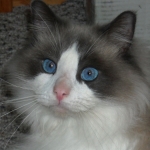
Yes, that blue eyed beauty is my cat! He is a seal point, bi-color Ragdoll. I adopted him in '08 from folks who could no longer care for him. He is a joy and makes me smile each and every day.
-
SandraR
Re: OT: Locked out of forums!
I got this thread posted only by doing so as a guest. Since it would not accept my usual name, "Sandra," because it was already in use (by me, doh), I added the R so it would allow the posting of this topic to be accepted. I imagine it remembers my usual "Sandra" (and notes it) via cookies, or whatever. Probably a feature in place to prevent people from posting with multiple aliases.
Definitely, certain that I had the right name/password combo. The first couple tries, I had a flash of doubt - lol - first instinct as having been brain deprived for awhile before CPAP, I was used to such blunders. But nope, had them in correctly (I log in to this a couple times a day, routine for me). Problem was confirmed when it would not accept the new password that "they" issued me. Silly side note, the password reset/verification email stated at the bottom, if any problems, contact board administrator, but no contact info was provided.
Definitely, certain that I had the right name/password combo. The first couple tries, I had a flash of doubt - lol - first instinct as having been brain deprived for awhile before CPAP, I was used to such blunders. But nope, had them in correctly (I log in to this a couple times a day, routine for me). Problem was confirmed when it would not accept the new password that "they" issued me. Silly side note, the password reset/verification email stated at the bottom, if any problems, contact board administrator, but no contact info was provided.

Re: OT: Locked out of forums!
It did that to me a day or two ago. Made me type the hidden word in addition to login and it accepted it.
_________________
| Mask: TAP PAP Nasal Pillow CPAP Mask with Improved Stability Mouthpiece |
| Humidifier: S9™ Series H5i™ Heated Humidifier with Climate Control |
| Additional Comments: Bleep/DreamPort for full nights, Tap Pap for shorter sessions |
My SleepDancing Video link https://www.youtube.com/watch?v=jE7WA_5c73c
-
SandraR
Re: OT: Locked out of forums!
Yes, did that multiple times too!kteague wrote:It did that to me a day or two ago. Made me type the hidden word in addition to login and it accepted it.
As ablong said, will wait til tomorrow and see what happens.
Thanks for the replies.

Re: OT: Locked out of forums!
Use notepad or Word to make sure your password keys are working, ya know so you can see your password as it's typed. Sometimes they stop working or get sticky.
IF your keys are working - in the lower RH corner of the forum page, click on "Delete all board cookies" to see if that helps.
IF your keys are working - in the lower RH corner of the forum page, click on "Delete all board cookies" to see if that helps.
_________________
| Humidifier: HC150 Heated Humidifier With Hose, 2 Chambers and Stand |
| Additional Comments: New users can't remember they can't remember YET! |
BeganCPAP31Jan2007;AHI<0.5
I have no doubt, how I sleep affects every waking moment.
I am making progress-NOW I remember that I can't remember

If this isn’t rocket science why are there so many spaceshots?
Be your own healthcare advocate!
I have no doubt, how I sleep affects every waking moment.
I am making progress-NOW I remember that I can't remember
If this isn’t rocket science why are there so many spaceshots?
Be your own healthcare advocate!


Re: OT: Locked out of forums!
Gumby, just what does Delete All Board Cookies do? Is it something that should be done periodically? I've never used that feature in 2 years and so far have had no problems. Thanks.
_________________
| Mask: Mirage Quattro™ Full Face CPAP Mask with Headgear |
| Additional Comments: 14/8.4,PS=4, UMFF, 02@2L, |
"Do or Do Not-There Is No Try"-"Yoda"
"We are what we repeatedly do,so excellence
is not an act but a habit"-"Aristotle"
DEAR HUBBY BEGAN CPAP 9/2/08
"We are what we repeatedly do,so excellence
is not an act but a habit"-"Aristotle"
DEAR HUBBY BEGAN CPAP 9/2/08
-
timbalionguy
- Posts: 888
- Joined: Mon Apr 27, 2009 8:31 pm
- Location: Reno, NV
Re: OT: Locked out of forums!
Cookies are little tags of information stored in your web browser that allow web pages to recognize you when you log into them. This board has a notorious history of cookie-related problems. They cause symptions similar to what you are experiencing. But fortunately, they are easy to fix.
First try the 'clear all board cookies' feature and see if this solves your problem. If this does not work, most up-to-date web browsers have tools for managing cookies. Just search through them and clear any that seem to be related to this board. As a last resort, you can clear all your cookies. But if you do this, any site for which you have cookies will have to 're-recognize' you the next time you log in.
First try the 'clear all board cookies' feature and see if this solves your problem. If this does not work, most up-to-date web browsers have tools for managing cookies. Just search through them and clear any that seem to be related to this board. As a last resort, you can clear all your cookies. But if you do this, any site for which you have cookies will have to 're-recognize' you the next time you log in.
Lions can and do snore....
9 posts
• Page 1 of 1