


CPAP software & Mac


-
sleepy-girl
CPAP software & Mac
Hello Everyone- I want to get the software for my CPAP-- I have been having problems with uneffective CPAP therapy even though all the numbers on the LED screen look good. I was thinking I probably should get the software for a closer look. But I have a Mac, do they make software that is also compatible with Apple or is it strictly a Windows only thing?
Re: CPAP software & Mac
As far as I know the cpap software is Windows only.
I believe you can run it on Mac with a virtual Windows installed.
I believe you can run it on Mac with a virtual Windows installed.
_________________
| Machine: DreamStation Auto CPAP Machine |
| Mask: AirFit™ P10 Nasal Pillow CPAP Mask with Headgear |
| Humidifier: DreamStation Heated Humidifier |
| Additional Comments: Backups- FX Nano masks. Backup machine- Airmini auto travel cpap |
Re: CPAP software & Mac
Hi - I have an iMac and strongly suggest you don't use VW for various reasons, but if you have Intel on your system then use Boot Camp (this is not about BC being a better product than VW or that I have any personal stake in either ) to set up Windows on it, then you can use the software (there are different versions of Wins that work with the software, and some that don't). BC is very easy to use. There is no Cpap software (yet) that's made for Mac.
-
Laurie1041
- Posts: 162
- Joined: Sat Oct 23, 2010 10:24 pm
- Location: Kentucky
Re: CPAP software & Mac
What type of Mac do you have? Is it an intel version? You find this out by clicking on the apple icon at the top of your left hand screen and clicking on "About this Mac". What version of Mac OS are you running? Leopard or Snow Leopard? Snow Leopard makes running Windows even easier. In either version, you can use Mac's Boot Camp located in the "Utilities" folder. Simply open up Boot Camp and print out the instructions. You will need to have an original Windows XP w/ Service Pack 2 disk. You cannot install Windows XP with the thought of later updating XP with SP2. It is very easy to do - usually the most difficult thing is finding a usable Windows operating disk with a key (code).
You can get very helpful information on Appleforums.com as well as MacForums.com
Feel free to PM me and I will be happy to step you through it. Laurie
You can get very helpful information on Appleforums.com as well as MacForums.com
Feel free to PM me and I will be happy to step you through it. Laurie
_________________
| Mask: Mirage Activa™ LT Nasal CPAP Mask with Headgear |
| Humidifier: S9™ Series H5i™ Heated Humidifier with Climate Control |
-
sleepy-girl
Re: CPAP software & Mac
Thanks for all the responses. I have an intel based mac but I do not have the updated OS on it yet. So I can not run Bootcamp, unfortunately. Looks like I would have to invest considerably in software- cpap sftware, Snow Leopard and Windows XP! I had no idea it would be so difficult. That's a lot of software for one little program- UGH! Lost of people use mac, these sleep machine companies really need to get with the times! Oh well, Best start saving my pennies.
Thanks
Ashleigh
Thanks
Ashleigh
Re: CPAP software & Mac
For a less $$ you could just get yourself a netbook and install it on there. I use an iMac for my work from home, but to read my cpap therapy, I installed my software on a little Asus Eee Netbook and it works great. And you'll have a nice little computer to travel with!!
Remember, the cpap software is written to be used by doctors, RT's, and DME.... not patients !
Remember, the cpap software is written to be used by doctors, RT's, and DME.... not patients !
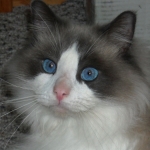
Yes, that blue eyed beauty is my cat! He is a seal point, bi-color Ragdoll. I adopted him in '08 from folks who could no longer care for him. He is a joy and makes me smile each and every day.
Re: CPAP software & Mac
ResScan can be had easily - pm for details.sleepy-girl wrote:Thanks for all the responses. I have an intel based mac but I do not have the updated OS on it yet. So I can not run Bootcamp, unfortunately. Looks like I would have to invest considerably in software- cpap sftware, Snow Leopard and Windows XP! I had no idea it would be so difficult. That's a lot of software for one little program- UGH! Lost of people use mac, these sleep machine companies really need to get with the times! Oh well, Best start saving my pennies.
Thanks
Ashleigh
What Mac OS are you running now, 10.4.x, or 10.5.x? I was on 10.5.x and had VmWare Fusion/WinXP working with it. I also thought but not 100% sure that bootcamp is available on 10.5.x?
Re: CPAP software & Mac
Hi,Julie wrote:Hi - I have an iMac and strongly suggest you don't use VW for various reasons, but if you have Intel on your system then use Boot Camp (this is not about BC being a better product than VW or that I have any personal stake in either ) to set up Windows on it, then you can use the software (there are different versions of Wins that work with the software, and some that don't). BC is very easy to use. There is no Cpap software (yet) that's made for Mac.
Interestingly, I feel just the opposite. The best way to run Windows is as a virtual machine on MacOS/X. I run XP under Parallels, and it is fully integrated into my Mac desktop. I run both ResScan and Encore Viewer without a hitch. I have not, however, been able to get the CMS50 software to work.
-john-
Re: CPAP software & Mac
Hi,Emilia wrote:For a less $$ you could just get yourself a netbook and install it on there.
The original poster didn't list the machine that they are using. If it requires a smart card reader, then beware that they could be limited to 32-bit Windows, but many (possibly most) laptops that are available new today are 64-bit machines. If they have a S9 or PR machine with an SD card, then it will not be an issue.
-john-
Re: CPAP software & Mac
The OP did say she has an iMac running Leopard, not Snow Leo....
My thought on the netbook was to avoid having to buy Snow Leo, Windows, and install ResScan. With a netbook running Windows already, she gets to use it for therapy and has a nice little travel laptop to use for other things. I only paid about $300 for my Asus Eee running XP, and it handles my SmarkLink software and my oximeter software perfectly. Just another option to consider.....
My thought on the netbook was to avoid having to buy Snow Leo, Windows, and install ResScan. With a netbook running Windows already, she gets to use it for therapy and has a nice little travel laptop to use for other things. I only paid about $300 for my Asus Eee running XP, and it handles my SmarkLink software and my oximeter software perfectly. Just another option to consider.....
Yes, that blue eyed beauty is my cat! He is a seal point, bi-color Ragdoll. I adopted him in '08 from folks who could no longer care for him. He is a joy and makes me smile each and every day.
Re: CPAP software & Mac
I'm with jweeks - running windows as a virtual machine instead of bootcamp offers far more flexibility. I love taking snapshots of my VM that I can roll back to if I encounter any problems with software I'm trying out, etc. I have a bunch of XP, Windows 7, Linux VMs for a variety of tasks.
Anyways, Ashleigh - you may not have to upgrade your imac's OS - are you running OS 10.4 (Tiger) I take it (since you said Boot Camp isn't supported)? Then pickup a copy of Parallels v5 - it runs under OS 10.4.11 if you don't want to upgrade to Snow Leopard. You'll need to pickup an XP license as well.
I suggest upgrading to Snow Leopard anyways as TIger is End of Life'd and no longer supported by Apple. I've tried both Parallels and VMware Fusion and I find Parallels blows VMware Fusion out of the water performance-wise.
How much RAM do you have in your iMac? Thats also an important consideration when running two operating systems simultaneously.
Anyways, Ashleigh - you may not have to upgrade your imac's OS - are you running OS 10.4 (Tiger) I take it (since you said Boot Camp isn't supported)? Then pickup a copy of Parallels v5 - it runs under OS 10.4.11 if you don't want to upgrade to Snow Leopard. You'll need to pickup an XP license as well.
I suggest upgrading to Snow Leopard anyways as TIger is End of Life'd and no longer supported by Apple. I've tried both Parallels and VMware Fusion and I find Parallels blows VMware Fusion out of the water performance-wise.
How much RAM do you have in your iMac? Thats also an important consideration when running two operating systems simultaneously.
_________________
| Machine: ResMed AirSense™ 10 AutoSet™ CPAP Machine with HumidAir™ Heated Humidifier |
| Mask: AirFit™ N20 Nasal CPAP Mask with Headgear |
-
123.Shawn T.W.
- Posts: 748
- Joined: Sun Jun 24, 2012 12:39 pm
- Location: Cochise County AZ
Re: CPAP software & Mac
I know this is an old thread ... But, does anybody if in the last year and a half that there is any Mac software available yet?
I have an older iMac with the G5 processor I believe ... With Leopord ... My wife was a newer one with intel & Snow Leopord ...
I have an older iMac with the G5 processor I believe ... With Leopord ... My wife was a newer one with intel & Snow Leopord ...
"I am a man of peace, but if war comes to my door it will find me home." - Winston Churchill
Re: CPAP software & Mac
If you have the S9 Autoset (list your equipment using Profile under the User Ctl Panel, under the logo) you can use Sleepyhead for Mac, but other than that, I'm not aware of any others... SH was designed by a forum member for us and can be DL'd from here (or at least search Pugsy and she has links to it).

Re: CPAP software & Mac
SleepyHead in my signature line has Mac software available.123.Shawn T.W. wrote:I know this is an old thread ... But, does anybody if in the last year and a half that there is any Mac software available yet?
I have an older iMac with the G5 processor I believe ... With Leopord ... My wife was a newer one with intel & Snow Leopord ...
It only works with the machines that use a SD card though....Respironics PR S1 or ResMed S9 and to a limited degree a Devibiss machine.
So it depends on which model cpap machine is being use. If it uses a Smart card (about the size of a credit card) and a special card reader..SleepyHead won't work.
So exactly which brand and model machine is being used? Not all of the machines even gather data for the software to report. Some only gather hours of use and that is all even on the newer machines that use the SD card.
_________________
| Machine: AirCurve™ 10 VAuto BiLevel Machine with HumidAir™ Heated Humidifier |
| Additional Comments: Mask Bleep Eclipse https://bleepsleep.com/the-eclipse/ |
I may have to RISE but I refuse to SHINE.
-
123.Shawn T.W.
- Posts: 748
- Joined: Sun Jun 24, 2012 12:39 pm
- Location: Cochise County AZ
Re: CPAP software & Mac
I don't have a machine yet ...
I went in two weeks ago for my first sleep study, didn't have enough time per ins protocol to put on the mask ( I had a terrible night!) but they did count 9 events ... So they have me down for the 8th for my next night of torture! I'm a long distance truck driver so hard to get home ...
I'm just trying to learn as much as possible what options I have, and what I should look out for ... I do have an old laptop running windows ... But it is old ...
I went in two weeks ago for my first sleep study, didn't have enough time per ins protocol to put on the mask ( I had a terrible night!) but they did count 9 events ... So they have me down for the 8th for my next night of torture! I'm a long distance truck driver so hard to get home ...
I'm just trying to learn as much as possible what options I have, and what I should look out for ... I do have an old laptop running windows ... But it is old ...
"I am a man of peace, but if war comes to my door it will find me home." - Winston Churchill