





UPS brought me a shiny new CMS-50E yesterday. Having a bit of trouble with the Chinglish instructions. When I turn the "Record" function on, there is a time setting. Is that: 1. the duration I want recorded starting now; 2. clock time to start recording; or 3. something else entirely?
I went with #1, but apparently didn't record much overnight. My upload this morning seems to be only a few seconds long. Not sure if I erased last night while configuring for upload this morning, or if it only recorded that amount. What's the catch?
Can someone who does this all the time help a brother out with step-by-steps for recording and uploading?
(I can get the real time (red heart) app to work, showing a realtime chart onscreen, so I know the interface is working ok.)
Thanks.
Oximeter help
Oximeter help
_________________
| Machine | Mask | Humidifier | ||
 |  |  | ||
| Additional Comments: 11-14 cmH2O | ||||
The OSA patient died quietly in his sleep.
Unlike his passengers who died screaming as the car went over the cliff...
Unlike his passengers who died screaming as the car went over the cliff...
-
ClayL
- Posts: 369
- Joined: Mon Feb 12, 2007 8:45 am
- Location: Palisade, CO now, was Full time in a motor home for 12 years- Anywhere USA
Re: Oximeter help
I don't bother with setting the time. I just select "Record" when I go to bed and turn it off when I wake up.
There is a readme file in the SPO2 program folder that has some instructions but it doesn't address setting the time.
I copied the following from an Amazon review (as I recall). Some info but still nothing about setting the time.
"To Record SPO2 on the device:
1. Record SPo2 on the device for a period of time
a. Hold the button until the menu comes on
b. Click several times until "Record" is highlighted
c. Hold button and set record to "On"
To upload data and view on a PC:
1. Install the software with the small CD that comes with the package
2. Start the software using the "Green Heart" icon
3. Click on the Magnifying glass at the lower part of the screen
4. Select New Session, input Name, Height, age, weight, sex. Make sure that the Com and CMS 50E are selected (this is what worked on mine, your setup might be different)
5. Click OK. Should display "Device Connected, waiting for Data"
6. On the device, hold the button to see the menu
7. Click button until "Upload" is selected, then hold.
8. The device should say "Uploading" and the computer screen should say "Receiving Data"
9. After the file is uploaded, you should be able to view and print the data. There are several options, but I will leave this part for you to play with and figure out."
There is a readme file in the SPO2 program folder that has some instructions but it doesn't address setting the time.
I copied the following from an Amazon review (as I recall). Some info but still nothing about setting the time.
"To Record SPO2 on the device:
1. Record SPo2 on the device for a period of time
a. Hold the button until the menu comes on
b. Click several times until "Record" is highlighted
c. Hold button and set record to "On"
To upload data and view on a PC:
1. Install the software with the small CD that comes with the package
2. Start the software using the "Green Heart" icon
3. Click on the Magnifying glass at the lower part of the screen
4. Select New Session, input Name, Height, age, weight, sex. Make sure that the Com and CMS 50E are selected (this is what worked on mine, your setup might be different)
5. Click OK. Should display "Device Connected, waiting for Data"
6. On the device, hold the button to see the menu
7. Click button until "Upload" is selected, then hold.
8. The device should say "Uploading" and the computer screen should say "Receiving Data"
9. After the file is uploaded, you should be able to view and print the data. There are several options, but I will leave this part for you to play with and figure out."
_________________
| Mask: DreamWear Full Face CPAP Mask with Headgear (Small and Medium Frame Included) |
Respironics DreamStation
Pressure = 11.5 min 14.5 max
C-Flex = 1
Dreamwear FF
Pressure = 11.5 min 14.5 max
C-Flex = 1
Dreamwear FF
-
Lizistired
- Posts: 2835
- Joined: Tue Dec 14, 2010 10:47 pm
- Location: Indiana
Re: Oximeter help
The clock is to set the current time. It is important if you are comparing it to your xpap data. The 50F has a running clock so you don't have to mess with setting it every time. When I used my 50H I set my S9 with the time on my cell phone so I could use that time to set the 50H and not have to go into the S9 menu to get the current time. I think my 50F loses about a minute every couple of weeks. Not a big deal, depends on how anal you are.
It only records one set of data up to 24 hours. Then it overwrites. So when you stop recording you have to upload before recording again, or your data is gone. Best bet is to play with it while you are awake to get a feel for it.
It only records one set of data up to 24 hours. Then it overwrites. So when you stop recording you have to upload before recording again, or your data is gone. Best bet is to play with it while you are awake to get a feel for it.
_________________
| Humidifier: S9™ Series H5i™ Heated Humidifier with Climate Control |
| Additional Comments: Swift FX sometimes, CMS-50F, Cervical collar sometimes, White noise, Zeo... I'm not well, but I'm better. |
ResScan: http://www.resmed.com/int/assets/html/s ... c=patients
ResScan Tutorial- http://montfordhouse.com/cpap/resscan_tutorial/
Machines Video: http://www.cpaplibrary.com/machine-education
ResScan Tutorial- http://montfordhouse.com/cpap/resscan_tutorial/
Machines Video: http://www.cpaplibrary.com/machine-education
-
M.D.Hosehead

- Posts: 742
- Joined: Thu Jun 24, 2010 7:16 pm
- Location: Kansas
Re: Oximeter help
What Clay said.
Plus--
To view the report, you have to click the printer icon.
Someone here reported they were able to use a generic USB cable. I had to use the one that came with the oximeter to get things working.
If you don't set the time, the horizontal axis on the report will just number hours from 0 till you stop recording.
If you set the time you start recording, it is easier to line up the oxy printout with the cpap one.
Plus--
To view the report, you have to click the printer icon.
Someone here reported they were able to use a generic USB cable. I had to use the one that came with the oximeter to get things working.
If you don't set the time, the horizontal axis on the report will just number hours from 0 till you stop recording.
If you set the time you start recording, it is easier to line up the oxy printout with the cpap one.
_________________
| Mask: Forma Full Face CPAP Mask with Headgear |
| Additional Comments: MaxIPAP 15; MinEPAP 10; Also use Optilife nasal pillow mask with tape |

Re: Oximeter help
Hi Link
http://www.pulseoxstore.com/CMS-50E_INSTRUCTIONS.pdf
http://www.pulseoxstore.com/Manuals-Downloads.html
cheers
Mars
http://www.pulseoxstore.com/CMS-50E_INSTRUCTIONS.pdf
http://www.pulseoxstore.com/Manuals-Downloads.html
cheers
Mars
for an an easier, cheaper and travel-easy sleep apnea treatment 
http://www.cpaptalk.com/viewtopic/t7020 ... rapy-.html
http://www.cpaptalk.com/viewtopic/t7020 ... rapy-.html
Re: Oximeter help
Thanx to all! I managed to record last night and looked at it on the screen. Tried to print...not sure if the prob is the printer or my lack of skill with the app.
I'll be reading the docs today, Mars.
Thanks again.
I'll be reading the docs today, Mars.
Thanks again.
_________________
| Machine | Mask | Humidifier | ||
| | | ||
| Additional Comments: 11-14 cmH2O | ||||
The OSA patient died quietly in his sleep.
Unlike his passengers who died screaming as the car went over the cliff...
Unlike his passengers who died screaming as the car went over the cliff...
-
Lizistired
- Posts: 2835
- Joined: Tue Dec 14, 2010 10:47 pm
- Location: Indiana
Re: Oximeter help
Link, look close (10 Minute interval) at any areas that seem erratic. If the green or blue line turns grey you can click and drag to select that area and it will grey it out and drop it from your stats.
_________________
| Humidifier: S9™ Series H5i™ Heated Humidifier with Climate Control |
| Additional Comments: Swift FX sometimes, CMS-50F, Cervical collar sometimes, White noise, Zeo... I'm not well, but I'm better. |
ResScan: http://www.resmed.com/int/assets/html/s ... c=patients
ResScan Tutorial- http://montfordhouse.com/cpap/resscan_tutorial/
Machines Video: http://www.cpaplibrary.com/machine-education
ResScan Tutorial- http://montfordhouse.com/cpap/resscan_tutorial/
Machines Video: http://www.cpaplibrary.com/machine-education
Re: Oximeter help
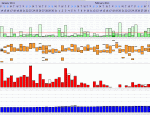
Recorded a full night of data, got it uploaded and printed.
I had 6 events of SPO2 under 90%. None of them were below 88%. Is that bad?
Tougher question: What can I do about it?
I had 6 events of SPO2 under 90%. None of them were below 88%. Is that bad?
Tougher question: What can I do about it?
_________________
| Machine | Mask | Humidifier | ||
| | | ||
| Additional Comments: 11-14 cmH2O | ||||
The OSA patient died quietly in his sleep.
Unlike his passengers who died screaming as the car went over the cliff...
Unlike his passengers who died screaming as the car went over the cliff...
-
Lizistired
- Posts: 2835
- Joined: Tue Dec 14, 2010 10:47 pm
- Location: Indiana
Re: Oximeter help
How about posting the graph? I usually compare mine to my rescan flow line and decide if it's anything to worry about. You can't fix it unless you can figure out why it happened. Like apneas, duration is important. How low for how long... In general 88% wouldn't cause me any worry unless I stayed there for most of the night. Unflagged apneas will cause mine to dip pretty sharply for a few seconds. Sometimes in REM I will drop just below 90 and stay there for that sleep stage.LinkC wrote:Recorded a full night of data, got it uploaded and printed.
I had 6 events of SPO2 under 90%. None of them were below 88%. Is that bad?
Tougher question: What can I do about it?
_________________
| Humidifier: S9™ Series H5i™ Heated Humidifier with Climate Control |
| Additional Comments: Swift FX sometimes, CMS-50F, Cervical collar sometimes, White noise, Zeo... I'm not well, but I'm better. |
ResScan: http://www.resmed.com/int/assets/html/s ... c=patients
ResScan Tutorial- http://montfordhouse.com/cpap/resscan_tutorial/
Machines Video: http://www.cpaplibrary.com/machine-education
ResScan Tutorial- http://montfordhouse.com/cpap/resscan_tutorial/
Machines Video: http://www.cpaplibrary.com/machine-education
Re: Oximeter help
I'd love to, as soon as I can figure out how...
Getting a jpg out of the SPO2 software is the bottleneck.
Getting a jpg out of the SPO2 software is the bottleneck.
_________________
| Machine | Mask | Humidifier | ||
| | | ||
| Additional Comments: 11-14 cmH2O | ||||
The OSA patient died quietly in his sleep.
Unlike his passengers who died screaming as the car went over the cliff...
Unlike his passengers who died screaming as the car went over the cliff...
-
Lizistired
- Posts: 2835
- Joined: Tue Dec 14, 2010 10:47 pm
- Location: Indiana
Re: Oximeter help
You can get a good screenshot of the graphs from the report view(printer icon), to upload to photobucket.. or whatever you use.LinkC wrote:I'd love to, as soon as I can figure out how...
Getting a jpg out of the SPO2 software is the bottleneck.
_________________
| Humidifier: S9™ Series H5i™ Heated Humidifier with Climate Control |
| Additional Comments: Swift FX sometimes, CMS-50F, Cervical collar sometimes, White noise, Zeo... I'm not well, but I'm better. |
ResScan: http://www.resmed.com/int/assets/html/s ... c=patients
ResScan Tutorial- http://montfordhouse.com/cpap/resscan_tutorial/
Machines Video: http://www.cpaplibrary.com/machine-education
ResScan Tutorial- http://montfordhouse.com/cpap/resscan_tutorial/
Machines Video: http://www.cpaplibrary.com/machine-education
Re: Oximeter help
Hi LinkLinkC wrote:
I had 6 events of SPO2 under 90%. None of them were below 88%. Is that bad?
Tougher question: What can I do about it?
Many people find that sleeping on their side (all night) reduces their AHi, and, of course, their desaturation events.
cheers
Mars
for an an easier, cheaper and travel-easy sleep apnea treatment
http://www.cpaptalk.com/viewtopic/t7020 ... rapy-.html
http://www.cpaptalk.com/viewtopic/t7020 ... rapy-.html
Re: Oximeter help

_________________
| Machine | Mask | Humidifier | ||
| | | ||
| Additional Comments: 11-14 cmH2O | ||||
Last edited by LinkC on Sun Nov 13, 2011 11:33 am, edited 1 time in total.
The OSA patient died quietly in his sleep.
Unlike his passengers who died screaming as the car went over the cliff...
Unlike his passengers who died screaming as the car went over the cliff...
-
Lizistired
- Posts: 2835
- Joined: Tue Dec 14, 2010 10:47 pm
- Location: Indiana
Re: Oximeter help
Pugsy wrote:
Upload the image to a host site. I use Photobucket it is free, there are others.
Once the image is uploaded then copy the ENTIRE IMG address. Be sure to include the opening and closing IMG in brackets. Paste that copied address into a post here.
Use the preview button. If you can't see the image try again because if you can't see it we can't.
Upload the image to a host site. I use Photobucket it is free, there are others.
Once the image is uploaded then copy the ENTIRE IMG address. Be sure to include the opening and closing IMG in brackets. Paste that copied address into a post here.
Use the preview button. If you can't see the image try again because if you can't see it we can't.
_________________
| Humidifier: S9™ Series H5i™ Heated Humidifier with Climate Control |
| Additional Comments: Swift FX sometimes, CMS-50F, Cervical collar sometimes, White noise, Zeo... I'm not well, but I'm better. |
ResScan: http://www.resmed.com/int/assets/html/s ... c=patients
ResScan Tutorial- http://montfordhouse.com/cpap/resscan_tutorial/
Machines Video: http://www.cpaplibrary.com/machine-education
ResScan Tutorial- http://montfordhouse.com/cpap/resscan_tutorial/
Machines Video: http://www.cpaplibrary.com/machine-education
Re: Oximeter help
Bump! (After I figured out how to post data.)
_________________
| Machine | Mask | Humidifier | ||
| | | ||
| Additional Comments: 11-14 cmH2O | ||||
The OSA patient died quietly in his sleep.
Unlike his passengers who died screaming as the car went over the cliff...
Unlike his passengers who died screaming as the car went over the cliff...