



I got my software and reader installed the first try with no problems!! Works great. Now for my question:
While it shows compliance data(100% I might add), as in hours used, days used, it does not show how many apneas or when and it does not show snore index. There is no graph, only a list of this stuff with the numbers .
It shows avg. time in apneas per day and avg. time in large leak per day and the Average AHI total. There is a small graph at the bottom that shows Hours Usage,Hum.Setting, Flex Setting.
When I saw pics of others info on here , it showed a graph with more statistics listed. Why is mine different? I have Encore Pro 1.8.49 and Infineer (Mako) reader.
Encore-I did it!


13 posts
• Page 1 of 1
Encore-I did it!
_________________
| Mask: Mirage Activa™ LT Nasal CPAP Mask with Headgear |
| Additional Comments: HC100 HH, , Activa Orig. (w/Activa LT cushion), Activa LT, Pur Sleep, Pad A Cheeks, |
Joyce
Started using cpap Sept. 12, 2007
Respironics PR System One Bi-Pap Auto w/Flex,pressure of 9/15, do not use ramp
Started using cpap Sept. 12, 2007
Respironics PR System One Bi-Pap Auto w/Flex,pressure of 9/15, do not use ramp

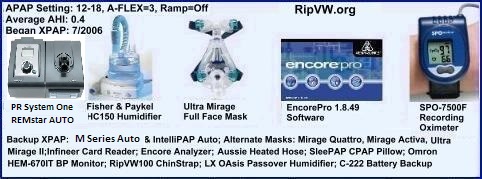
I'm not positive, but it sounds like you are only selecting "Summary" for the reports instead of "Full Details".
One other thing of note; if your pressure is 18 or above (I think that's the correct number), your machine won't record your snore index.
Hope this helps and Congrats on getting the software working on your first try! Many people end up having issues getting it all working correctly.
Opps. Ted beat me too it! You have to be quick around here.
One other thing of note; if your pressure is 18 or above (I think that's the correct number), your machine won't record your snore index.
Hope this helps and Congrats on getting the software working on your first try! Many people end up having issues getting it all working correctly.
Opps. Ted beat me too it! You have to be quick around here.
_________________
| Mask | |
 |

I usually click on save as a PDF file and look at it. To me it is easier to move around in the Adobe file than it is to move around in the Encore file.
Jerry
Jerry
_________________
| Humidifier: HC150 Heated Humidifier With Hose, 2 Chambers and Stand |
| Additional Comments: 11cm/H2O, Encore Pro 1.8i, Pro Analyzer, Encore Viewer1.0 - 3 Remstar Pro2's, 1 Remstar Auto |
Life's journey is not to arrive at the grave safely in a well preserved body, but rather to skid in sideways, totally worn out, shouting: "Wow what a ride!"
I still play Cowboys and Bad Guys but now I use real bullets. CAS
I still play Cowboys and Bad Guys but now I use real bullets. CAS
Thanks all! I didnt realize to use Full report, will do this and save to desk top.
jcranmer, you may be right about the pressure. Mine is @17, but not that much different than 18.
jcranmer, you may be right about the pressure. Mine is @17, but not that much different than 18.
_________________
| Mask: Mirage Activa™ LT Nasal CPAP Mask with Headgear |
| Additional Comments: HC100 HH, , Activa Orig. (w/Activa LT cushion), Activa LT, Pur Sleep, Pad A Cheeks, |
Joyce
Started using cpap Sept. 12, 2007
Respironics PR System One Bi-Pap Auto w/Flex,pressure of 9/15, do not use ramp
Started using cpap Sept. 12, 2007
Respironics PR System One Bi-Pap Auto w/Flex,pressure of 9/15, do not use ramp

Ted
You come up with the most interesting pictures. I love them.
Jerry
You come up with the most interesting pictures. I love them.
Jerry
_________________
| Humidifier: HC150 Heated Humidifier With Hose, 2 Chambers and Stand |
| Additional Comments: 11cm/H2O, Encore Pro 1.8i, Pro Analyzer, Encore Viewer1.0 - 3 Remstar Pro2's, 1 Remstar Auto |
Life's journey is not to arrive at the grave safely in a well preserved body, but rather to skid in sideways, totally worn out, shouting: "Wow what a ride!"
I still play Cowboys and Bad Guys but now I use real bullets. CAS
I still play Cowboys and Bad Guys but now I use real bullets. CAS

Just checked the manual on the M series and the cutoff is 16, not 18.jsmythe wrote:Thanks all! I didnt realize to use Full report, will do this and save to desk top.
jcranmer, you may be right about the pressure. Mine is @17, but not that much different than 18.
Vibratory snore detection is disabled at pressure setpoints greater
than 16 cm H2O.
_________________
| Mask | |
|
love it!ted wrote:Thanks, Jerry! Pics make it a little more fun, I think. Thinking about trying that sleep balm :<).
_________________
| Mask: Mirage Activa™ LT Nasal CPAP Mask with Headgear |
| Additional Comments: HC100 HH, , Activa Orig. (w/Activa LT cushion), Activa LT, Pur Sleep, Pad A Cheeks, |
Joyce
Started using cpap Sept. 12, 2007
Respironics PR System One Bi-Pap Auto w/Flex,pressure of 9/15, do not use ramp
Started using cpap Sept. 12, 2007
Respironics PR System One Bi-Pap Auto w/Flex,pressure of 9/15, do not use ramp
-
goose

- Posts: 1382
- Joined: Sun Mar 11, 2007 7:59 pm
- Location: The left coast - CA... If you're not living on the edge, you're taking up too much space!!
You may want to create a folder for your reports. Saving to the desktop can create a very cluttered desktop in very short order (I pull my reports every 7 days, so in the time I've been saving them -- Since June 5th -- I'd have little room left on my desktop).....
example: my tree is C:\documents => "Apnea stuff" => "Encore Pro"=> "Reports" -- after the end of the year I'll create 2 folders in the Reports folder -- One labled "'07" and one "'08"....and then next year (09), well you get the picture --
But I'm one of those that hates stuff on the desktop -- messes up my picture of the space station!!!!
Just a suggestion.....
cheers
goose
example: my tree is C:\documents => "Apnea stuff" => "Encore Pro"=> "Reports" -- after the end of the year I'll create 2 folders in the Reports folder -- One labled "'07" and one "'08"....and then next year (09), well you get the picture --
But I'm one of those that hates stuff on the desktop -- messes up my picture of the space station!!!!
Just a suggestion.....
cheers
goose
_________________
| Humidifier: HC150 Heated Humidifier With Hose, 2 Chambers and Stand |
| Additional Comments: Also Use ComfortGel (s); Headrest (XL) and a PAP-Cap. |
Wars arise from a failure to understand one another's humanness. Instead of summit meetings, why not have families meet for a picnic and get to know each other while the children play together?
-the Dalai Lama
-the Dalai Lama
-
admiralross

- Posts: 148
- Joined: Wed Aug 22, 2007 11:31 am
- Location: Star Fleet CMD HQ / SFO
- Contact:
Re: Encore-I did it!
Very recently I too got my reader and pulled that data off. I had 36 days of data compiled. From what I can gather from all of the info my AHI was 4.7. Anything under 5 is good. The over all leak rate was around 53. With my pressure being as high as it is. 53 is pretty good to me. Unless anyone else can tell me otherwise.jsmythe wrote:I got my software and reader installed the first try with no problems!! Works great. Now for my question:
_________________
| Mask | ||||
 | ||||
| Additional Comments: Pressure: 18 | ||||
Admiral Ross
Y! admiral.ross | MSN: admiral.ross
AOL: admiralwross | rlocone.com
Y! admiral.ross | MSN: admiral.ross
AOL: admiralwross | rlocone.com
I created a folder on desktop, I will move to Docs. great idea. I too hate stuff on desktop, only have about 3 icons. Don't like the clutter myself. Thanks everyone, you have been a tremendous help for me!!!!!!!!
Those numbers look good to me admiralross, when I realized that the leak rate was not always my mask leaking or mouth breathing, I just relax about it unless it is unusually high.
Mine has been about 43 the last few nights with Activa. My AHI has been around 1.3, was around 6 when I first started treatment about 3 months ago.
My snore index is on the report. I didn't think it would be, but it is.
Thanks again for all the help, I appreciate it.
Those numbers look good to me admiralross, when I realized that the leak rate was not always my mask leaking or mouth breathing, I just relax about it unless it is unusually high.
Mine has been about 43 the last few nights with Activa. My AHI has been around 1.3, was around 6 when I first started treatment about 3 months ago.
My snore index is on the report. I didn't think it would be, but it is.
Thanks again for all the help, I appreciate it.
_________________
| Mask: Mirage Activa™ LT Nasal CPAP Mask with Headgear |
| Additional Comments: HC100 HH, , Activa Orig. (w/Activa LT cushion), Activa LT, Pur Sleep, Pad A Cheeks, |
Joyce
Started using cpap Sept. 12, 2007
Respironics PR System One Bi-Pap Auto w/Flex,pressure of 9/15, do not use ramp
Started using cpap Sept. 12, 2007
Respironics PR System One Bi-Pap Auto w/Flex,pressure of 9/15, do not use ramp
13 posts
• Page 1 of 1